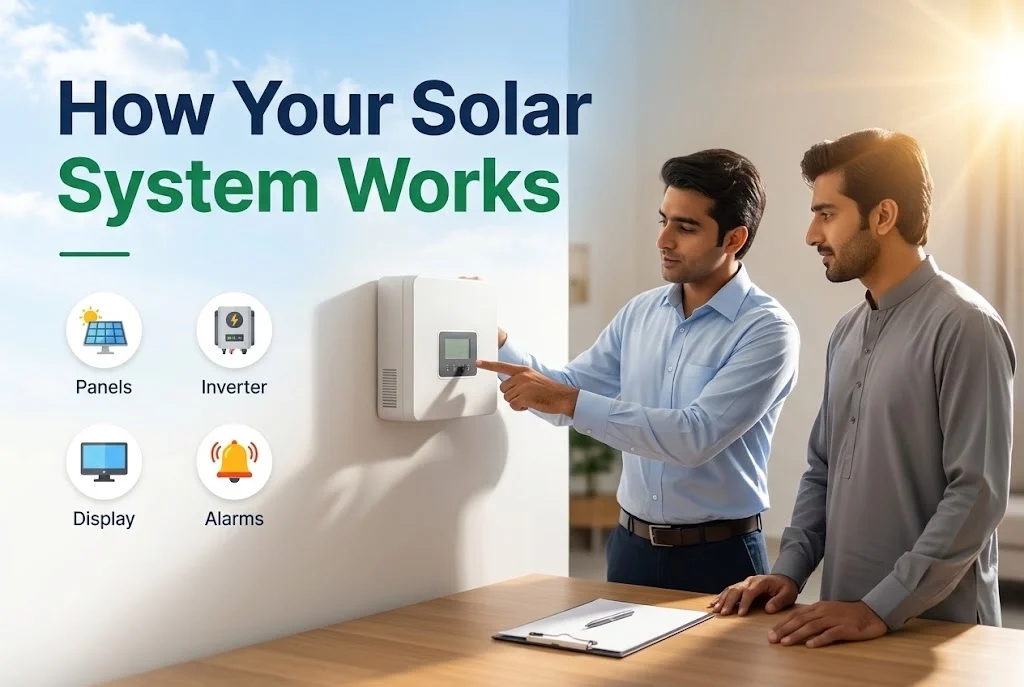
You do not need to be an electrical engineer to understand the basic operation of your solar installation. Knowing what the main components do, what the inverter display means and which warning signs matter can help you notice a change early and explain it clearly when you request support. It also helps prevent unsafe attempts to repair equipment that should only be handled by a technician.
This guide explains the main solar system components, the role of the inverter, how a battery provides backup and what owners can safely observe. Exact functions and displays vary by equipment model, so use the manufacturer’s manual for model-specific instructions.
Key takeaways
- Solar panels generate direct-current (DC) electricity from sunlight.
- An inverter converts DC electricity into alternating current (AC) for compatible loads and the electrical system.
- A battery stores energy for later use, but backup depends on usable capacity, inverter limits and connected loads.
- Displays and apps show operating information and alarms, not a complete safety inspection.
- Owners can observe readings and visible conditions, but should not open equipment or handle electrical conductors.
1. Solar panels: where the electricity starts
Solar modules contain photovoltaic cells that convert sunlight into DC electricity. Modules are connected together to form strings, and strings are connected to the inverter according to the system design. The total array capacity is often described in kilowatts peak (kWp), which is a rating under defined test conditions rather than a promise that the array will produce that power at every moment.
Actual production changes with sunlight, module temperature, orientation, tilt, shading and the condition of the installation. A clear sky does not guarantee identical output throughout the day. A nearby wall, tree, water tank or newly constructed building can shade part of the array. Dirt and deposits can also reduce the light reaching the modules.
Owners can look at the array from a safe position and note visible shading, obvious damage or heavy deposits. Do not climb onto a roof, walk on panels or touch connectors. Cleaning methods depend on the module manufacturer’s instructions, roof access and electrical safety conditions; arrange professional cleaning where safe access is not available.
2. The inverter: converting and managing power
Solar panels produce DC electricity, while most building appliances use AC electricity. The inverter performs the conversion and manages the flow of power according to its design. A grid-tied inverter synchronises with the utility supply. A hybrid inverter can also manage a battery and may provide backup to selected circuits. An off-grid inverter is designed for systems that operate without a utility connection.
The inverter’s rated output, surge capability, PV input limits, battery compatibility and protection features determine what it can support. A 5 kW inverter, for example, is not automatically suitable for every combination of panels, batteries and appliances. The system designer must check the electrical ratings and the requirements of the connected loads.
The inverter may show current power, daily energy, operating status, grid readings, battery status and fault codes. Learn the normal status messages for your exact model. If a warning appears, record the full code and time rather than relying on a partial description from memory. For further reading, see our solar inverter guide.
3. Batteries: storing energy for later
A battery stores electrical energy so that it can be used later. In a solar installation, it may be charged from the panels and then supply selected loads when solar production is low or the grid is unavailable. The inverter and battery configuration decides how energy is prioritised and which circuits receive backup.
Battery capacity is usually expressed in kWh, while the maximum charge and discharge power is expressed in kW. These are not interchangeable. The stored energy indicates how much electricity may be available over time; the power limit indicates how quickly the battery can deliver it. Usable capacity, depth-of-discharge limits, temperature, battery age and connected load all affect actual backup duration.
Different battery chemistries and models have different operating requirements. Lithium batteries commonly include a battery management system that monitors conditions and communicates with compatible inverters. Lead-acid batteries have different charging and maintenance considerations. Never change battery settings or connect additional units without checking the manufacturer’s instructions and the inverter’s compatibility list. Our guide to lithium vs lead-acid solar batteries explains the main differences.
4. Protection devices, cables and earthing
A solar installation needs more than panels and an inverter. DC and AC cables, connectors, isolators, circuit breakers, surge protection and earthing form part of the electrical design. These components help provide safe isolation and protection when selected and installed correctly. Their ratings must suit the circuit, current, voltage and installation conditions.
Owners should not remove covers or tighten terminals themselves. A loose connection can heat up, and a damaged cable or connector can create a serious hazard. If you notice a burning smell, unusual noise, visible damage, discolouration or repeated tripping, keep away from the equipment and contact a qualified technician. Read more about earthing and protection in solar installations.
5. How solar power reaches your appliances
In a typical grid-connected arrangement, panels generate DC power and the inverter converts it into AC. The building uses available solar energy, and the grid supplies additional power when the solar system cannot meet demand. When generation exceeds the building’s immediate use, surplus energy may be exported if the system and applicable connection arrangement permit it.
A hybrid system adds a battery and controls when it is charged or discharged. The system may use solar energy for current loads, charge the battery with surplus generation and draw from the grid when needed. During a grid outage, a compatible hybrid inverter can isolate from the utility and supply the backup circuits it was designed to support. It does not necessarily power every circuit in the building.
Off-grid systems operate without a utility connection. They rely on the solar array, battery storage and, in some installations, a generator for periods when solar energy is insufficient. The design must account for expected demand and periods of low solar production because there is no grid supply to fill the gap.
6. Understanding the inverter display
Many inverters show power in watts or kilowatts and energy in kilowatt-hours. Power is the rate at which electricity is being produced or consumed at a moment. Energy is the amount accumulated over a period. The display may also show the grid voltage, frequency, battery state of charge and the system’s operating mode.
Solar production normally changes during the day. It rises after sunrise, varies with sunlight and falls towards sunset. A zero production reading at night is expected. A lower reading during cloudy weather may also be normal. A sudden daytime shutdown, repeated alarm or unexplained change that continues across several days deserves investigation.
Monitoring portals may show daily, monthly and lifetime generation. Compare similar dates and consider weather, season and any changes to the installation. A single low day is not enough to conclude that the panels or inverter have failed. See what our support team checks in solar monitoring data.
7. What an inverter alarm is telling you
An alarm means the inverter has detected or recorded a condition. Depending on the model, it may relate to grid voltage, grid frequency, temperature, insulation, battery communication, internal protection or another operating condition. Some events clear when the condition returns to normal; repeated alarms or a system that stays offline require a technician to investigate.
Write down the exact alarm code, the date and time, and whether the system restarted by itself. If possible, take a screenshot of the event log. Do not repeatedly reset the inverter or change settings to make the warning disappear. A reset may remove useful evidence and does not fix the cause.
8. Safe checks an owner can make
Owners can observe the display or monitoring app, note unusual alarms, keep the area around the inverter clear and check from a safe location for visible shading or obvious physical damage. Keep equipment rooms ventilated and do not store items against ventilation openings. Follow the manufacturer’s user instructions for routine operation.
Do not open the inverter, battery enclosure or distribution board. Do not touch exposed conductors, disconnect PV connectors under load, climb onto a roof or attempt to tighten electrical terminals. Solar modules can generate voltage whenever they receive light, and batteries can deliver high fault current. Electrical work requires appropriate isolation, test instruments and trained personnel.
9. Common signs that the system needs attention
- Repeated inverter alarms or unexpected shutdowns.
- A persistent production change that cannot be explained by weather or shading.
- Battery charging or discharging behaviour that differs from the normal pattern.
- Unusual heat, smell, noise, visible damage or discolouration around equipment.
- Repeated circuit trips or loss of supply to backup loads.
- Monitoring data that stops updating or shows a communication error for an extended period.
These signs do not identify one specific failed component. They are reasons to record what has happened and arrange a proper inspection. A technician may need to review the alarm history, check the system design and carry out electrical tests before recommending a repair or replacement.
10. Questions to keep with your system records
Keep the inverter, panel and battery model numbers, installation documents, warranty information, commissioning records and contact details in one place. Note any equipment changes and keep copies of monitoring screenshots when a problem occurs. These records make it easier to identify the installed configuration and compare future performance.
When asking for help, explain what the system is doing, what you expected it to do and when the change began. Share the exact equipment models, alarm code and relevant screenshots. Avoid sending passwords or verification codes. If a technician needs remote access, use the equipment manufacturer’s approved method.
11. Get support for your solar and backup system
Atiq Traders supplies solar panels, inverters, batteries, UPS and power backup equipment, and provides installation, repair, maintenance and technical support. We work with residential, commercial and industrial requirements across Pakistan. The appropriate solution depends on the site’s load, equipment, grid conditions and backup needs.
If you have a question about your installation, use our contact page or quotation form. You can also review our technical support services, inverter range and battery range. Share the system details and the issue you have observed so the next step can be assessed accurately.
Leave a comment