
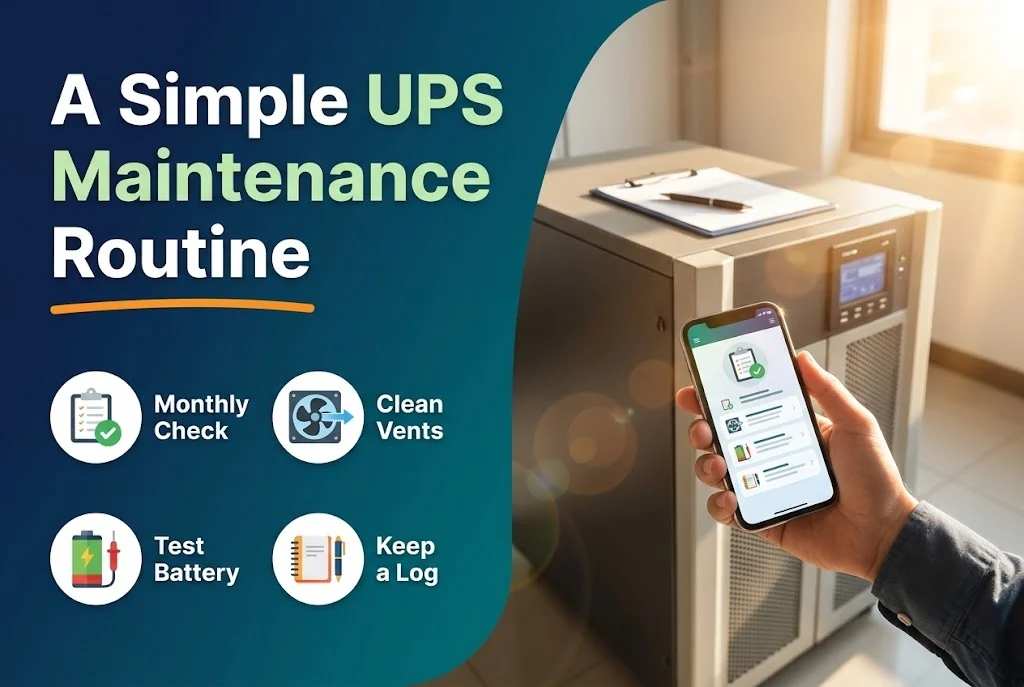
A UPS is often noticed only when the electricity supply fails, but its ability to provide backup depends on regular inspection and maintenance. Batteries age, ventilation paths collect dust, connections can deteriorate and alarms may remain unresolved if nobody reviews them. A planned UPS maintenance routine helps identify these issues before they affect the equipment connected to the system.
This guide outlines a practical UPS maintenance checklist for offices, shops, server rooms and industrial facilities. The frequency and depth of each check should follow the UPS manufacturer’s recommendations, the criticality of the load and the operating environment. Electrical testing and internal servicing must be completed by trained personnel.
Key points
- Keep a record of alarms, service visits and battery replacement dates.
- Check ventilation, temperature and visible equipment condition.
- Review battery status and investigate reduced runtime or battery alarms.
- Do not bypass protection or open the UPS for DIY repairs.
- Plan testing and maintenance windows so critical loads remain protected.
1. Know the UPS and its normal operating condition
Start by recording the UPS make, model, serial number, rated capacity, battery type and installation date if known. Keep the user manual, wiring information and service contact details accessible. Understand which status indicators represent normal operation and which alarms require attention. Different UPS models use different symbols and alarm codes, so the manual for the installed model should be the reference.
Record the normal load level and the circuits supported by the UPS. This provides a baseline for later checks. If additional equipment is connected over time, the UPS may become overloaded even though the original installation was correctly sized. A maintenance visit should review the connected load and confirm that it remains within the UPS’s kW and kVA ratings.
2. Inspect the outside of the equipment
Look for visible damage, dust accumulation, blocked ventilation openings, unusual noise, warning lights or signs of overheating. Check that the UPS is not exposed to water, excessive dust, direct sunlight or accidental impact. The unit should have the clearance specified by the manufacturer so that cooling air can move through the equipment.
Do not remove covers to clean the internal components unless the procedure is part of an authorised service. Internal capacitors and battery circuits can remain hazardous after the input supply is disconnected. If there is smoke, a burning smell, swelling, liquid leakage or unusual heat, keep clear and arrange qualified assistance.
3. Review alarms and event history
UPS alarms can indicate overload, battery problems, temperature conditions, input supply events, bypass operation or an internal fault. Record the exact alarm code and the time it occurred. Check whether the event was temporary or repeated, and whether it coincided with a power interruption, generator operation or a change in the connected load.
Repeated alarms should not be dismissed simply because the UPS returns to normal operation. An alarm history can reveal patterns that are not obvious from a single status screen. Share the event log with the service provider when requesting support. Avoid repeatedly resetting the UPS without understanding the cause, as doing so may remove useful diagnostic context.
4. Check the operating environment
Temperature has a direct effect on battery performance and service life. Excessive heat can accelerate battery ageing and may cause the UPS to reduce output or raise a temperature alarm. Confirm that the room’s ventilation and cooling are suitable for the equipment and that air paths are not blocked by stored items or dust filters that need service.
Also check for moisture, corrosive conditions and excessive dust. A UPS installed in a plant room may be exposed to vibration or airborne contaminants that are not present in a clean office. The enclosure rating and permitted environmental conditions should be checked against the actual location. If the room conditions have changed, review whether the installation remains suitable.
5. Review battery condition and backup time
The battery is a consumable part of the UPS system. Its available capacity changes with age, temperature, discharge history and charging conditions. A UPS may continue to supply the load from the mains even when its battery can no longer provide the expected runtime. Battery alarms, failed self-tests or a noticeable reduction in backup duration should be investigated.
Record battery model, date code, installation date and any replacement history. Where the UPS provides battery readings or monitoring, compare trends over time rather than relying on one number. Battery testing should follow the manufacturer’s method and be planned so the protected load is not left without adequate backup. Do not open sealed batteries or attempt to repair battery cells.
6. Inspect accessible electrical connections
Loose, corroded or damaged connections can create heat and voltage drop. During an authorised maintenance visit, technicians may inspect accessible cable terminations, battery connections, protective devices and signs of discolouration or overheating. The work must follow the appropriate isolation and safety procedures. Do not touch terminals or attempt to tighten connections while the equipment is energised.
Connection inspection should consider both the UPS and the external electrical installation. The condition of input and output cables, breakers, isolators and distribution boards can affect reliability. Any signs of heat damage, insulation deterioration or repeated protective device operation should be recorded and investigated rather than covered up or bypassed.
7. Review load and operating mode
Compare the present load with the original design. Check both watts and VA, power factor, phase loading and any changes in the type of connected equipment. New servers, networking devices, control equipment or production loads can change the UPS demand. A unit that is operating close to its limit may have less capacity to handle a transient event or future addition.
Review whether the UPS is in its intended operating mode and whether bypass status is normal. A UPS left on bypass may not provide the same power conditioning or battery protection as normal inverter operation. The facility operator should understand why bypass is being used and who is authorised to change the operating state.
8. Plan functional tests and service windows
Testing can include review of self-test results, battery checks, alarm verification, transfer operation and other manufacturer-approved procedures. More extensive battery discharge or load tests should be planned with the facility operator. The test plan should identify what happens if the UPS does not return to normal operation and how the protected equipment will be supported during the work.
For critical loads, schedule maintenance during an agreed service window and confirm whether redundancy or an alternative supply is available. Do not assume that a bypass switch makes every maintenance task risk-free. The procedure should be documented and performed by authorised personnel familiar with the installed system.
9. Keep records and plan replacement
After each maintenance visit, record the date, technician findings, alarms, battery readings, work performed and any recommendations. Compare results with previous visits to identify changes. A record of battery replacement and UPS repairs helps the facility plan future expenditure and avoid unexpected failure.
Replacement should be considered when the equipment no longer meets the load requirement, repairs are uneconomical, spare parts are unavailable or reliability is no longer acceptable. Battery replacement should follow the manufacturer’s guidance and the actual condition of the bank. Review our guide to when to replace a UPS or solar battery before making a decision.
10. UPS maintenance support across Pakistan
Atiq Traders supplies UPS and battery equipment and provides installation, repair and maintenance support for residential, commercial and industrial requirements across Pakistan. The service scope depends on the UPS model, battery arrangement, load criticality and site conditions. A maintenance plan should be based on the manufacturer’s recommendations and the facility’s operating needs.
To arrange an assessment, use the contact page or submit details through the quotation form. Share the UPS model, battery details, connected load and any alarms or runtime changes. You can also review our maintenance services, repair services and UPS systems.


Leave a comment