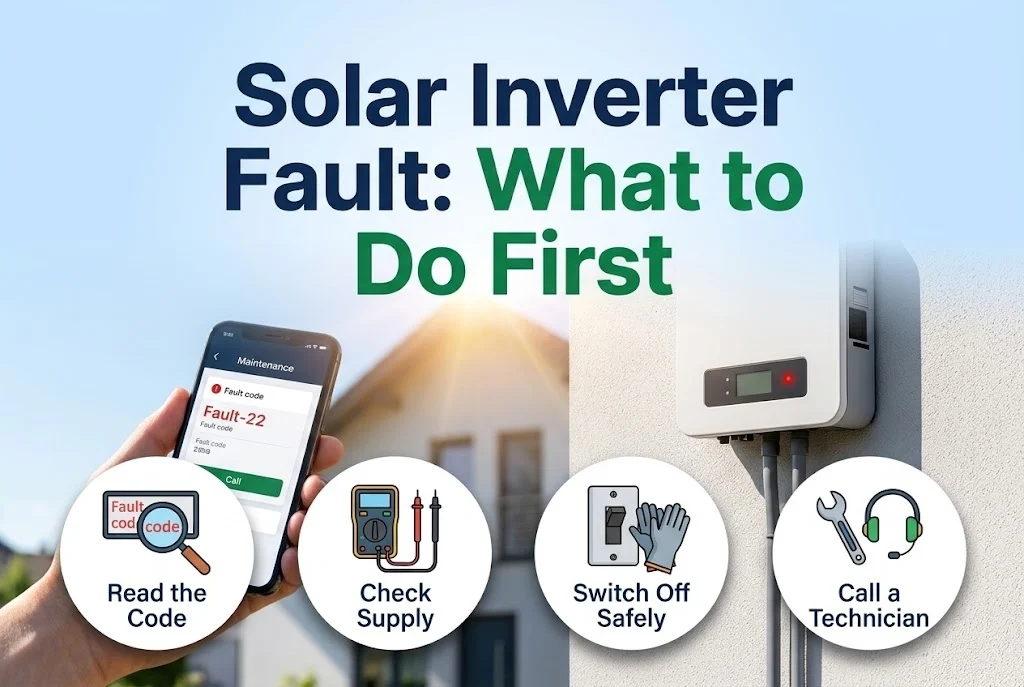
An inverter that shows a red light, an error code or stops working can be worrying. In most cases the cause is simple and safe to check. The goal of the first steps is to understand what happened and to avoid making it worse.
Key takeaways
- Write down the error code, the time and the weather before touching anything.
- Never open the inverter or touch the DC cables; there can be high voltage even when it looks off.
- A single restart is reasonable if the fault was a short grid disturbance.
- Repeated faults, isolation faults and burning smells need a technician.
1. Note what you see
Take a photo of the display or the app: the code, the text, the time. Note whether the grid was down or unstable, whether it was very hot, raining, or if anything changed on site. This record helps a technician a great deal. See solar monitoring: what to watch.
2. Common kinds of fault
- Grid faults: voltage or frequency outside the allowed range, or the grid was lost. These are often temporary. The inverter waits and restarts.
- Over-temperature: the inverter is too hot because of sun, poor ventilation or a blocked fan.
- Insulation or earth fault: it detects leakage from the panel wiring to earth, often after rain, a damaged cable or a wet connector.
- DC input faults: very high or low string voltage, or a polarity problem.
- Communication errors: the Wi-Fi or meter link is lost, but the power may still be flowing.
3. Safe checks you can do
Look at the inverter and its surroundings. Is it very hot? Is anything blocking the vents? Is there water or an insect nest nearby? Check that the breakers are on. If the grid was down, wait a few minutes after it returns; many inverters restart on their own after a delay.
4. A careful restart
If the fault looks temporary, switch off the AC breaker, then the DC isolator, wait a few minutes and switch on in the reverse order. Follow the steps in the manual. Do this once. If the fault returns, do not keep restarting it.
5. When to call a technician
Call a technician if the same fault repeats, if an isolation or earth fault is shown, if you smell burning, see discolouration or hear unusual noise, or if a cable or panel is damaged. These can be safety problems. Do not open the case or work on the roof yourself.
6. Prevent faults
Regular cleaning and checks reduce faults; see solar panel cleaning and maintenance checklist and annual solar plant service checklist.
Next step
If your inverter shows a repeated fault, send us the photo and details through the contact page or see our repair service.
Leave a comment