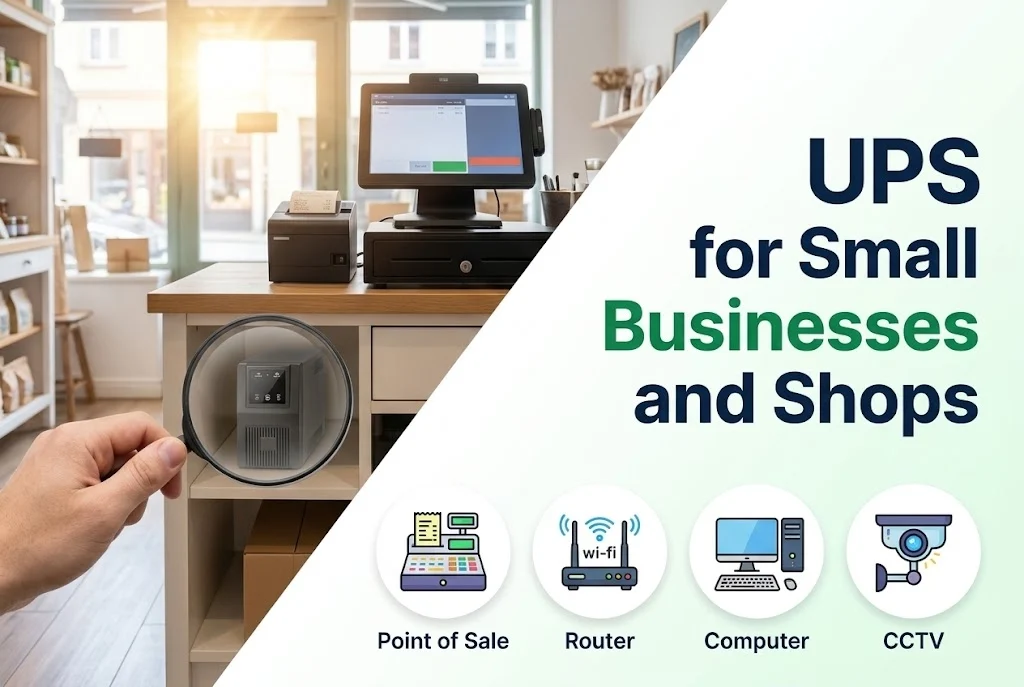
For a small business, a short power cut can mean lost sales, a corrupted database or a server that will not start. A UPS costs far less than one lost day, and it is a good place to start protecting your business.
Key takeaways
- Protect the equipment that holds data or earns money: the computer or server, router and switch, point-of-sale and CCTV recorder.
- A line-interactive UPS is usually a good fit; an online UPS suits servers and sensitive equipment.
- Do not put heavy loads such as air conditioners or laser printers on the same UPS.
- A UPS gives minutes, not hours; plan a shutdown or a generator for long outages.
1. What deserves protection
- The computer or server that holds your accounts or stock data.
- The router, switch and internet equipment, so that the network keeps working.
- Point-of-sale machines and card readers.
- CCTV recorders and alarm systems.
- Any equipment that is expensive to repair or restart.
2. Choose the type
For a computer and network equipment, a line-interactive UPS with automatic voltage regulation is common; it corrects low and high voltage and keeps the battery for real outages. For a server or sensitive equipment, an online UPS gives the cleanest power. See online, line-interactive and offline UPS.
3. Size and runtime
Add up the watts of the equipment, add a margin and choose the UPS by its watt rating; see how to size a UPS. Decide how long you need it: ten to thirty minutes is often enough to finish a sale, save work and shut down properly.
4. Set it up well
- Plug only the protected equipment into the battery outlets.
- Keep laser printers, heaters, kettles and air conditioners off it.
- Install the UPS software or the network card if available, so the server shuts down by itself.
- Place the UPS in a cool, ventilated spot, off the floor if the floor may flood.
- Protect network lines too, since surges can come in through cables.
5. Look after the battery
UPS batteries wear out. Test the UPS now and then and plan to replace the batteries as advised; see UPS maintenance routine.
6. Consider solar later
If your outages are long, a solar and battery system might serve better than a bigger UPS; see on-grid, hybrid and off-grid systems.
Next step
Send us a list of what you need to keep running and we will recommend a UPS; use the quotation form or read about our commercial UPS.
Leave a comment